ADB
The official bridge between your computer and your Android device — and the exact technology that powers our free in-browser device scan.
What is ADB?
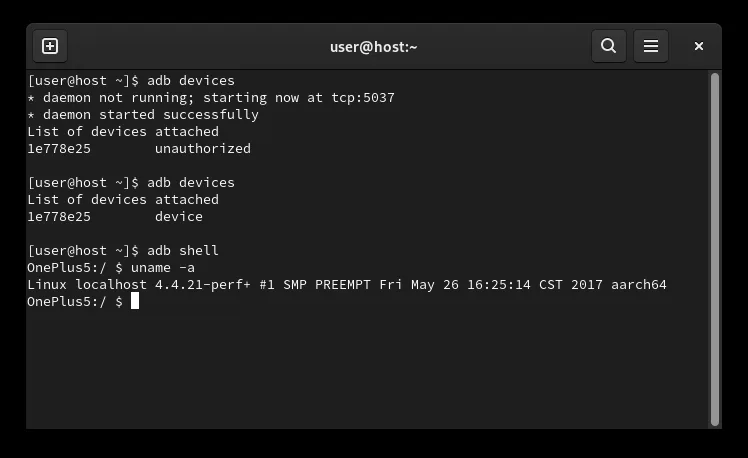
The Android Debug Bridge is a command-line tool from Google's official Android SDK Platform-Tools. Over USB or Wi-Fi it lets a computer list and identify connected devices (adb devices), open a shell on a device (adb shell, shown above), install apps, transfer files, read device properties (getprop), and capture diagnostic logs.
Is it safe?
Reading device information with ADB is non-destructive: the device asks you to authorize the computer the first time it connects, and nothing changes on the phone unless a command explicitly writes to it. ADB is the same mechanism developers use every day — and the same oneShizuku uses to start its service.
How Root My Android uses it
Our free device scan speaks ADB over WebUSB, entirely in your browser: no SDK to install, nothing uploaded until you choose to save the report. It runs read-only inspection commands — the same getpropand shell reads you'd type yourself — and turns them into a rooting / upgrade plan for your exact device.
Official links
- developer.android.com/tools/adb— official ADB documentation
- SDK Platform-Tools— official download
This page is an independent, unofficial overview of ADB (Android Debug Bridge), which is developed byGoogle. Root My Android is not affiliated with, endorsed by, or sponsored by Google. Android is a trademark of Google LLC. All other product names, logos, and brands mentioned are the property of their respective owners and are referenced here for identification and informational purposes only.
