Rootz — your Android, under your command.
Rootz is the power-user toolkit for your own device: everything the stock system hides from you — profiling, automation, logs, firewall, files, and a real terminal — in one place. Everything it syncs is encrypted on your device before it leaves, and AI assistance is being built to explain your device's evidence, never to act behind your back.
How to read the labels on this page
Every AI capability on this page carries a release-status label. LIVE means available and supported now. LABS means opt-in experimental functionality for test devices. PLANNED means in development — not available, and not part of any current purchase promise. Nothing labeled LABS or PLANNED is something you can buy today.
The free toolbox LIVE
The free tier is already a full toolbox — nine instruments that work on your own device, no account required:
- System profiler
- Task manager & automation
- Logcat reader
- Firewall manager
- Battery monitor
- Terminal editor
- File explorer / manager
- APK installer
- Key mapper
Rootz Pro — $15 / 365 days LIVE
Pro unlocks the professional instrument: Log Analysis today, with the archive manager, VNC, RDP and more rolling out as they are ready. It is an independent yearly subscription that combines with any Guardian Angel plan — or stands alone. Like every plan here it is a top-up: add time whenever you like — no auto-renew, no stored card — and paying with crypto saves 15%. Feature packages are being finalized — the lineup on our pricing page is the current offer.
Rootz AI — assistance grounded in evidence PLANNED
The Rootz AI harness is being built and tested right now. Its design is fixed around one promise:
AI explains the evidence. Deterministic tools validate the plan. You approve every consequential action.
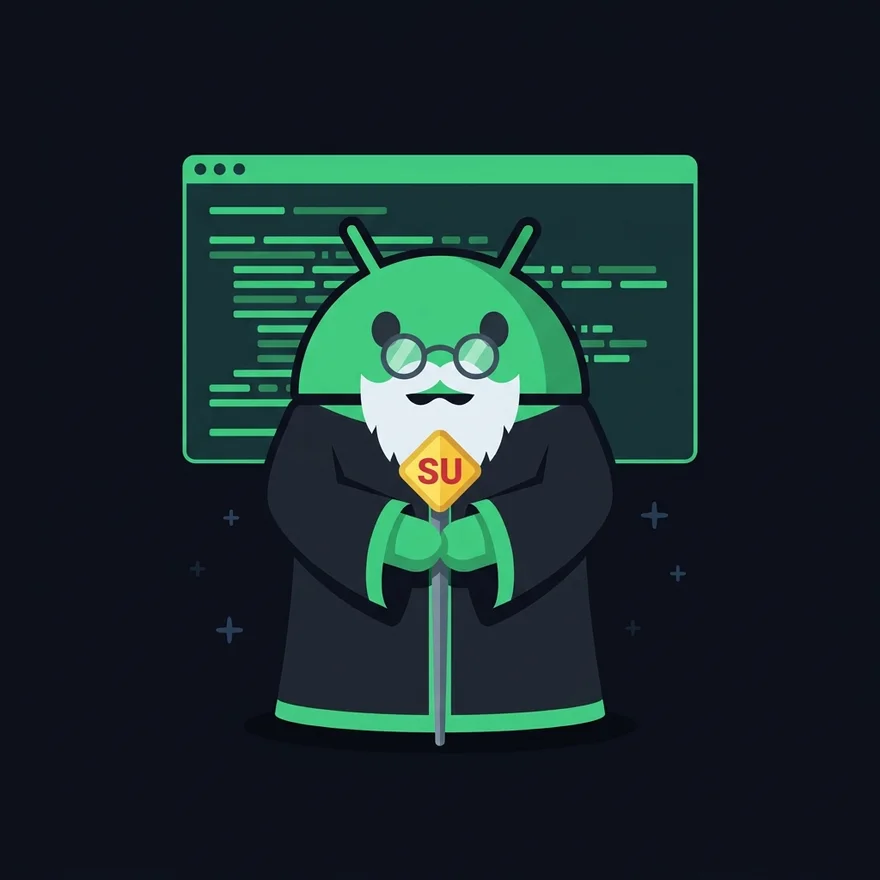
Your guide is Colonel Su — the wise old robot with the SU staff from our artwork. He explains the evidence and walks the plan with you; he never acts on his own.
Live device guidance
Connect over USB and let the assistant explain real device evidence, identify missing information, and guide the next safe inspection — read-only, exactly like today's scan.
Diagnostics grounded in logs
Rootz AI links every finding to supporting log excerpts, separates observations from inference, and recommends read-only next steps — never a command to run blind.
Your agent, your permissions
Connect through MCP or use the Root My Android runtime. Sensitive data sharing and consequential operations require your explicit authorization, every time.
Two agents, strictly limited
Rooting Guide Agent
- Reads approved device evidence.
- Explains the deterministic rooting plan.
- Identifies missing prerequisites.
- Cannot choose a boot image or partition from model output alone.
- Cannot execute arbitrary shell commands.
Rootz Diagnostic Agent
- Reads an authorized log bundle.
- Produces evidence-linked findings.
- Suggests additional read-only probes.
- Shows uncertainty and alternative explanations.
- Stops at the session's cost and tool-call limits.
Neither agent ever fills evidence gaps with model guesses: unknown values stay unknown, and an unsupported device produces an honest "not supported" — never a hallucinated plan.
Capability status
| Capability | Status | Data destination | Your authority |
|---|---|---|---|
| Local ADB device scan | LIVE | Browser only, by default | Physical device and ADB authorization |
| AI scan explanation | PLANNED (beta at launch) | Named inference provider | Separate payload consent |
| Live read-only agent session | PLANNED (beta at launch) | Local device bridge plus approved evidence | You can stop at any time |
| Hardware-backed agent identity | LABS (when shipped) | Attestation metadata only | Device eligibility required |
| State-changing rooting operations | LABS / future | Local operation broker | Exact operation approval |
The security model, in plain language
- The model proposes; it does not authorize.
- Device output and log text are treated as untrusted data, not instructions.
- A deterministic policy service validates every tool call.
- A local device broker owns USB and device execution.
- Destructive actions require a separate authorization object and a local confirmation — single-use, short-lived, and exact: artifact, target, partition, slot, and data-loss consequences spelled out.
- There is no LLM-generated shell command with a generic Run button, and no automatic retry of a write after a timeout or disconnect.
- Agent sessions can be stopped and revoked at any time.
- Bootloader unlocking and data-erasing steps remain explicit, physical, manufacturer-guided actions — never silent agent operations. A request to "just handle everything" does not bypass these steps.
Client-side encryption, by design
Everything that leaves your device is encrypted on the device first. Logs, reports, and any Rootz data synced to your account are encrypted before upload, with a key held by you and never by us — we cannot decrypt your data, and we cannot recover a lost key. There is no email, no password, and no personal profile attached to any of it: your account is a random 16-digit number.
The free browser scan goes further still: it runs 100% on your computer and uploads nothing at all unless you explicitly save the report.
The single exception to sealed data is an AI payload you approve yourself: before any cloud AI feature sends anything, you preview the exact fields and attachments, see the redactions, identify the provider and model, and give affirmative consent — per payload, every time. Without that approval, nothing readable leaves your device.
Hardware-backed security, labeled honestly
You will never see a generic "TEE secured" badge here. Each implementation gets the label that accurately describes it:
- Browser session → Standard remote AI session
- Android app sandbox → On-device agent runtime
- Hardware-backed Keystore key → Device-bound cryptographic identity
- Verified key attestation → Hardware-backed device/key attestation verified
- StrongBox, where available → StrongBox-backed key
Hardware-backed identity helps protect keys and verify selected device properties. Cloud inference still occurs with the named provider and is not executed inside the Android TEE. And because rooted and unlocked devices can fail verified-boot or attestation requirements, Rootz will offer a supported lower-assurance mode — clearly labeled, never silently relabeled as attested.
AI usage and billing
Four separate things will never be blurred together: your Rootz Pro subscription time, an included AI usage allowance, additional prepaid inference usage, and BYOK usage you pay directly to your own provider. Before the first charge you see the feature and task, the provider and model class, the estimated maximum charge, a session spending cap, and your remaining included allowance. During use you see the current charge and remaining budget; the session stops cleanly at the hard cap.
Local tools are free. Cloud AI uses your included allowance or prepaid AI usage. No automatic overages. No overdraft, no automatic top-up, and your usage history never contains message or prompt contents.
Frequently asked questions
What is Rootz?
Rootz is our power-user toolkit for your own Android device. The free tier includes a system profiler, a task manager and automation, a logcat reader, a firewall manager, a battery monitor, a terminal editor, a file explorer and manager, an APK installer, and a key mapper. Rootz Pro adds the professional instruments — Log Analysis, an archive manager, VNC, RDP and more — plus the AI harness now in development.
What does Rootz Pro include?
Rootz Pro is a $15 / 365-day top-up subscription: Log Analysis today, with the archive manager, VNC, RDP and the AI harness rolling out as they are ready. It is an independent yearly subscription that combines with any Guardian Angel plan — or stands alone — and paying with crypto saves 15%.
Does Rootz use AI?
The Rootz core is deterministic: scans, detection rules, and plans are code, not model output. AI assistance — explanations of your scan report and log diagnostics — is in development and will always be opt-in: you preview the exact data that would be sent, choose the provider, and approve before anything leaves your device. AI proposes explanations; it never authorizes or executes changes.
Can an AI agent root my phone for me?
No. ADB shell access alone does not root a stock production device, and our browser scanner deliberately has no fastboot or flashing path. AI guidance is read-only; unlocking the bootloader and flashing remain explicit, physical, manufacturer-guided actions that you perform and approve yourself.
Is my data private?
Yes. Anything Rootz syncs is encrypted on your device before upload with a key held by you and never by us — we cannot decrypt your data. The browser scan goes further: it runs entirely on your computer and uploads nothing unless you explicitly save the report to your account number.
How will AI usage be billed?
Local tools are free. Cloud AI will use an included allowance or prepaid AI usage, with the provider, model class, estimated maximum charge, and a hard session cap shown before the first charge — no automatic overages and no automatic top-ups, ever.
